
Hometown Fan
HomeTown Ticketing, Inc.Events
4.6764.00 Reviews
- Version
- 4.15.1
- Installs
- 500.00K
- Age Rating
- Everyone
Screenshots
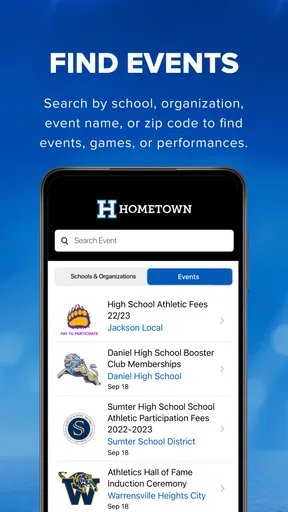
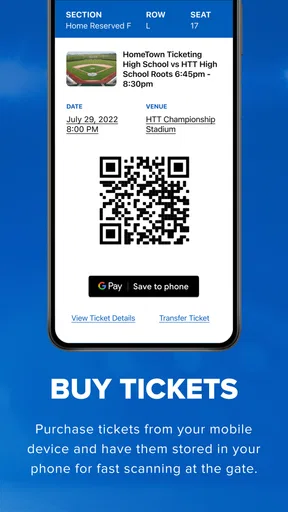
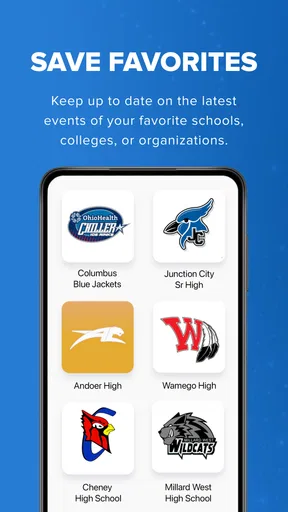
Our Review of Hometown Fan
 Analysis by Appyee
Hometown Fan is an event-focused app from HomeTown Ticketing, Inc. that I would describe as a practical companion for getting into local sports and other community events. It is free, rated for Everyone, and built for people who want a simpler way to handle digital event access rather than juggle printed tickets, messages, and separate instructions. I found its appeal less about entertainment inside the app and more about reducing small points of friction before the event begins.
The app has a 4.6 average from around 16 thousand ratings, which gives it a strong public track record. It has passed the early-experiment stage too, with more than 100 thousand installs. Those figures do not guarantee that every venue will offer the same experience, but they do suggest that Hometown Fan is being used for real community-event workflows rather than existing only as a niche download.
How I used Hometown Fan before and during an event
My baseline workflow with an app like this is deliberately simple: install it before leaving home, sign in or follow the event’s instructions, locate the ticket or admission details, and make sure the phone is ready before reaching the entrance. That order matters. The worst time to discover that an account needs attention or that a ticket is not where I expected is while a line is moving behind me.
Hometown Fan is most useful when the event organizer already uses HomeTown Ticketing’s system. In that situation, the app gives the admission process a clear home on the phone. I would not treat it as a universal ticket wallet for every concert, cinema, airline, or professional sports service. It is aimed at the local-event environment, so its value depends heavily on whether the school, district, venue, or organizer has adopted the same ticketing setup.
A realistic example is a family attending a Friday school game. One parent can prepare the tickets at home, check that the correct event is visible, and keep the phone charged before driving to the venue. At the gate, the goal is not to search through email or ask another family member to forward a screenshot. The useful habit is to open the app before joining the queue and keep the relevant admission screen easy to reach.
That preparation also helps when several people are attending together. Instead of assuming everyone will remember where the ticket information was sent, I would decide in advance who is holding the admission details and who needs access to them. This is a small organizational choice, but it prevents the common problem of one person becoming the group’s only source of entry information.
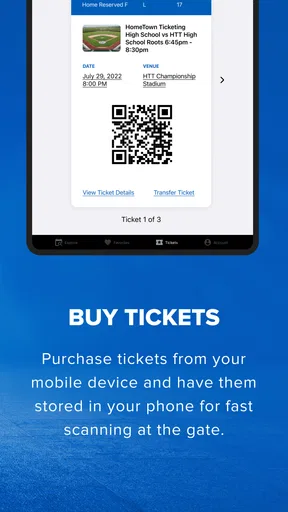
The app’s store summary, “Fast Scans. Happy Fans. For Every Hometown!”, points toward that entrance-focused purpose. In my experience, the best way to benefit from it is to treat it as part of an event routine, not as something to explore for the first time at the gate. Downloading it early, checking the event early, and keeping the device usable are more important than repeatedly opening it during the day.
What to check before relying on it
I would first confirm that the event itself is represented correctly and that I am using the account or access method connected with the purchase. If a ticket was bought by another household member, the practical question is not simply whether the app is installed; it is whether the right person can actually display the admission details when needed.
I also recommend checking the phone’s brightness, battery level, and network situation before leaving. These are not special Hometown Fan settings, but they affect the real-world scan. A dim screen, nearly empty battery, or a poor connection can turn a straightforward entrance into a delay. I prefer to open the ticket while I still have time to solve a problem calmly.
Notifications are worth reviewing as well. If the app or event organizer uses them to communicate updates, turning them off completely could mean missing useful information. On the other hand, a person who dislikes a crowded notification tray may want to keep only the alerts that help with upcoming attendance. The right balance depends on how often that person attends local events and how much communication the organizer sends through the platform.
Privacy-conscious users should make their own decision about account access and phone permissions rather than accepting every prompt automatically. I would allow only what is needed for the event workflow and avoid sharing login details casually. A ticketing app is connected to attendance information, so ordinary phone security matters: use a screen lock, keep the device updated, and do not hand an unlocked phone to strangers for convenience.
Android users should note that the app requires Android 8.0 or later. That is a reasonable compatibility floor for many current phones, but anyone using an older device should check compatibility before planning around it. The current version is 4.15.1, so keeping the installation updated is sensible, particularly before an important event. Updates can improve reliability, but I would install one well before leaving rather than starting a large update in a venue parking lot.
Settings and habits that make the workflow smoother
There is no advantage in making the app part of a complicated pre-event ritual. I would keep the useful checks repeatable: confirm the event, verify who has access, prepare the display, and make sure the phone can last through the outing. Repeating the same sequence is more reliable than trying to remember a different method for every game or school activity.
For families, the strongest habit is assigning responsibility. If one adult buys tickets and another adult brings the children, both should know how admission will be handled. The purchaser can share the necessary access through the organizer’s supported process, while the person attending can test the app before departure. This avoids discovering at the entrance that the ticket exists only on a phone left at home.
For students and regular attendees, I would separate event planning from ticket searching. Check the ticket once the event is confirmed, then check again shortly before leaving. Constantly reopening the app does not make admission faster and can make it harder to find the right event among other information. A short, consistent check is better than frantic searching.
Another useful habit is to avoid relying on a screenshot unless the organizer explicitly accepts that format. A live ticketing workflow may require the current display or a scan-ready screen, and a static image can be outdated or unsuitable. I would use the app’s own presentation whenever possible and follow the venue’s instructions instead of assuming that a screenshot is interchangeable with an active ticket.
People often ask whether they need to be highly technical to use Hometown Fan. I do not think so. The difficult part is usually not navigation; it is understanding the event’s access arrangement and preparing the correct account or device. Once that is settled, the app is more approachable for a parent or occasional attendee than a general-purpose ticket marketplace filled with unrelated events.
Another practical question is whether the app is useful without attending events frequently. For an occasional local-game visitor, it can still be worthwhile if the venue uses the platform, but the benefit is situational. Someone who attends only large commercial events may get more value from the ticket provider’s own app or a broader wallet. Hometown Fan makes the most sense when it matches the community event in front of you.
Faster patterns for regular attendees
Experienced users can make the process faster without relying on imaginary shortcuts. My preferred pattern is to prepare before travel, open the app while stationary, and keep the phone in a place where it can be reached without digging through a bag. At the entrance, I want to present the screen immediately rather than unlock the phone repeatedly while holding up the line.
If I attend several events, I would use a calendar reminder or a personal note outside the app to record the event time and venue. That is not a Hometown Fan feature, but it complements the app well. The app handles the admission task; the calendar handles the broader day plan. Keeping those jobs separate prevents the ticket screen from becoming a substitute for remembering when the event starts.
For a group, I would nominate one primary ticket holder and one backup person who knows the access details. The backup does not need to take over every time, but having a second prepared adult is valuable if the primary phone loses power, is misplaced, or is needed for another urgent call. This is especially helpful with children, where the entrance process rarely happens in a perfectly calm environment.
Regular attendees should also learn the venue’s preferred scanning behavior. Some entrances move quickly and expect the display to be ready; others may pause to verify details. I would follow staff instructions rather than repeatedly refreshing or switching screens. The fastest approach is usually the least dramatic one: show the correct ticket clearly, wait for the scan, and move away from the entrance once admitted.
One trade-off is that a dedicated event app can feel more focused than email, but it adds another app and possibly another account to manage. If a person attends one local event a year, that extra step may feel unnecessary. If the same family attends school sports throughout a season, the repeatable workflow becomes more valuable because it replaces scattered messages and last-minute searches.
The app’s short description is simply “Hometown Fan,” and that fits its role better than a promise of being an all-purpose ticket service. I would recommend it to users who want a direct route to locally organized events. I would not recommend installing it blindly for unrelated ticket purchases, because the app cannot replace the systems used by every venue or event company.
Where the app reaches its limits
The main limitation is dependence on organizer adoption. Hometown Fan cannot make a ticket appear for an event that uses a different provider, and it cannot solve a purchase problem that belongs to the venue or ticket seller. Before troubleshooting the app, I would confirm that the event actually uses HomeTown Ticketing and that the ticket was obtained through the expected channel.
It is also not a replacement for careful event information. The app may help present admission details, but I would still check the venue, start time, entry instructions, and any special arrangements separately. A smooth scan does not compensate for arriving at the wrong entrance or misunderstanding the event schedule.
Connectivity and device condition remain practical weak points. A phone that is offline, damaged, out of power, or locked behind an inaccessible account can undermine a digital ticket workflow. I would not assume that every venue has reliable service or that staff can always solve a phone problem instantly. Preparing the display and carrying a charged phone are sensible safeguards.
There is also a human limitation: the app may be straightforward for the person who bought the ticket but less obvious for relatives, guests, or children using another phone. If several people are attending, explain the plan before arriving. A ticketing app is only as efficient as the group’s understanding of who is presenting admission.
Users who want resale tools, broad ticket discovery, loyalty programs, or a single wallet for many entertainment providers may prefer a larger marketplace or the official app for a specific professional venue. Those alternatives can be better when the event is not local, when tickets come from multiple providers, or when the user needs features beyond entry. Hometown Fan is strongest when simplicity and organizer compatibility matter more than breadth.
I also would not choose it solely because it is free. The absence of an app price is helpful, but the real question is whether it supports the event I plan to attend. A free app that does not connect to the relevant venue is less useful than a paid or platform-specific option that reliably manages the ticket. In this case, compatibility should guide the decision more than cost.
Who should use it and who should skip it
I think Hometown Fan is a good fit for parents, students, volunteers, and regular spectators at community events who want a repeatable digital-entry routine. It is particularly suitable for households where one person often organizes tickets and another person handles arrival. The Everyone age rating also makes it approachable for a broad audience, although younger users may still need an adult to manage purchases and account access.
It is less suitable for someone searching for events across many unrelated ticketing services. If your calendar is mostly concerts, flights, cinemas, and major league venues, a general wallet or the official apps for those providers may reduce the number of separate tools. I would also skip it if the local organizer does not use HomeTown Ticketing, because the app’s central advantage depends on that connection.
For occasional users, my advice is simple: install it only when the event instructions point you there, then complete the setup before the day of attendance. For frequent users, create a personal routine around it rather than expecting the app alone to manage every detail. That distinction is important. Hometown Fan can streamline admission, but it is not a complete event-planning system.
After using it as an event-access tool, my verdict is positive but specific. I like the focused purpose, the free entry point, and the way it can replace a messy collection of ticket messages when a local organizer supports it. The strongest results come from preparation: confirm the correct event, check access early, keep the phone ready, and make sure the whole group understands the plan.
The app is at its best when it becomes a quiet, repeatable part of getting to a hometown event. It is not the right answer for every ticket, and experienced users should respect its dependence on the organizer, the phone, and the event’s own instructions. Within that boundary, Hometown Fan offers a sensible alternative to paper tickets and scattered email searches, especially for families and regular community-event attendees.
HomeTown Ticketing, Inc. has positioned it as an events app rather than a general entertainment marketplace, and I think that narrower focus is a strength when it matches your venue. With a 4.6 average and an established user base, it is easy to see why it appeals to local spectators. I would recommend trying it when your school or community event directs you to it, while keeping expectations realistic about what a ticket-access app can and cannot handle.
In short, I would use Hometown Fan for supported local events, prepare the ticket before leaving, and keep a backup plan for battery or account trouble. I would choose another option for unrelated ticket ecosystems or advanced marketplace needs. That is a fair trade-off: less universal coverage, but a cleaner workflow when the app is the one your hometown venue has chosen.
Privacy and Permissions
See what permissions an app requests and how it handles your data.
- Contacts
- read your contacts
- Location
- approximate location (network-based), precise location (GPS and network-based)
- Photos/Media/Files
- read the contents of your USB storage, modify or delete the contents of your USB storage
- Storage
- read the contents of your USB storage, modify or delete the contents of your USB storage
- Camera
- take pictures and videos
- Microphone
- record audio
- Other
- view network connections, full network access, run at startup, control vibration, prevent device from sleeping, read Google service configuration
Verdict
Strengths of Hometown Fan
- Keeps local supporters connected with hometown sports and community events.
- Offers a focused experience for fans who prefer regional content.
- Can make it easier to discover nearby teams, clubs, or activities.
- Useful for sharing local enthusiasm with friends and fellow supporters.
- May provide a more personal feel than broad, national sports platforms.
Limitations of Hometown Fan
- Content quality may depend heavily on activity in your local area.
- Some features could be limited if your hometown is not fully supported.
- Notifications may become excessive during busy event periods.
- The app may have limited value for users who follow national teams only.
- Community content can vary in accuracy, relevance, and moderation.
Other Releases by HomeTown Ticketing, Inc.
View All
Hometown Gate
Events4.2
Similar Picks in This Category
View All
Easy Quran Mp3 Audio Offline
Muslim Worldapp4.7

Invitation Maker: Cards & RSVP
Greetings Island4.9

StubHub - Live Event Tickets
StubHub4.3

Fever: Events & Tickets
Fever Labs4.7

Epic Freebie Games Radar
Arioch Pds - Apps & Games4.4

Invitation card Maker, Design
Splendid App Maker4.9
Frequently Asked Questions
What is Hometown Fan and what can I use it for?
Hometown Fan is designed to help users stay connected with local sports, teams, events, and community-related updates in their area. Depending on the location and teams supported, the app may provide schedules, news, scores, announcements, promotions, or fan-focused content. Before downloading, check whether your hometown, favorite team, or local organization is available in the app.
Is Hometown Fan free to download and use?
Hometown Fan may be available as a free download, but some features, content, promotions, or event-related services could depend on the participating organization or location. It is worth reviewing the app-store listing for information about optional purchases, subscriptions, or sponsored content. Availability and pricing may differ between Android and iOS, so confirm the details before installing.
Does Hometown Fan require an account or personal information?
Some parts of Hometown Fan may be accessible without registration, while personalized features can require an account. Creating one may involve providing an email address, username, location, or favorite teams so the app can display more relevant updates. Review the requested permissions and privacy policy carefully, particularly if the application uses notifications, location services, or third-party sign-in options.
Can I receive notifications about local teams and events?
The app may support notifications for scores, schedules, news, promotions, or community events, depending on the features enabled for your area. Notifications can usually be managed through the application and your device settings. If you prefer not to receive frequent alerts, you can disable selected categories while keeping the updates that matter most to you.
Will Hometown Fan work in every city or with every sports team?
Hometown Fan’s usefulness depends on the communities, teams, venues, and organizations supported by the service. It may offer extensive information in some locations but limited content in others. Before downloading, search the app description and available in-app listings for your city or team. Coverage can also change as new local partners are added over time.
